Track your site.
Not your people.
Lightweight, privacy-first web analytics. Real-time numbers with no cookie banner and no data selling — a modern Histats & Google Analytics alternative you can self-host on cPanel.
<!-- JS Stats -->
<script defer src="//stats.jidanshoppu.com/tracker.js"
        data-id="a1b2c3"></script>
From script tag to insight in minutes
No SDK, no build step, no waiting on data processing.
Paste one script tag
Add a ~2 KB async snippet to your <head>. No npm install, no config file.
Data starts flowing
Pageviews, referrers, devices and geolocation are captured instantly — cookieless by default.
Read your dashboard
Real-time visitors, trends and reports, all in one place, updated live.
Your data, laid out clean
A real dashboard, real charts — no mockups.
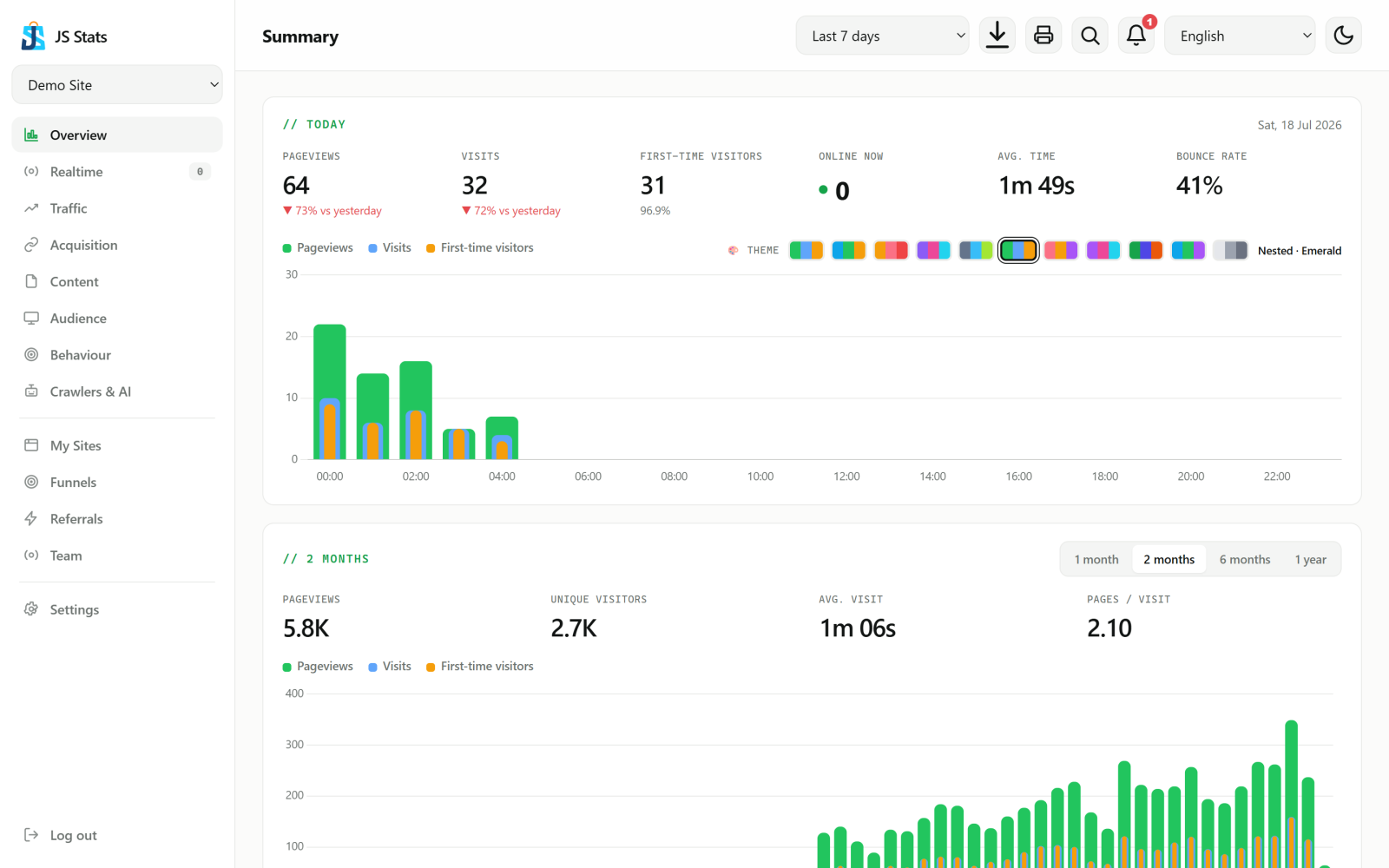
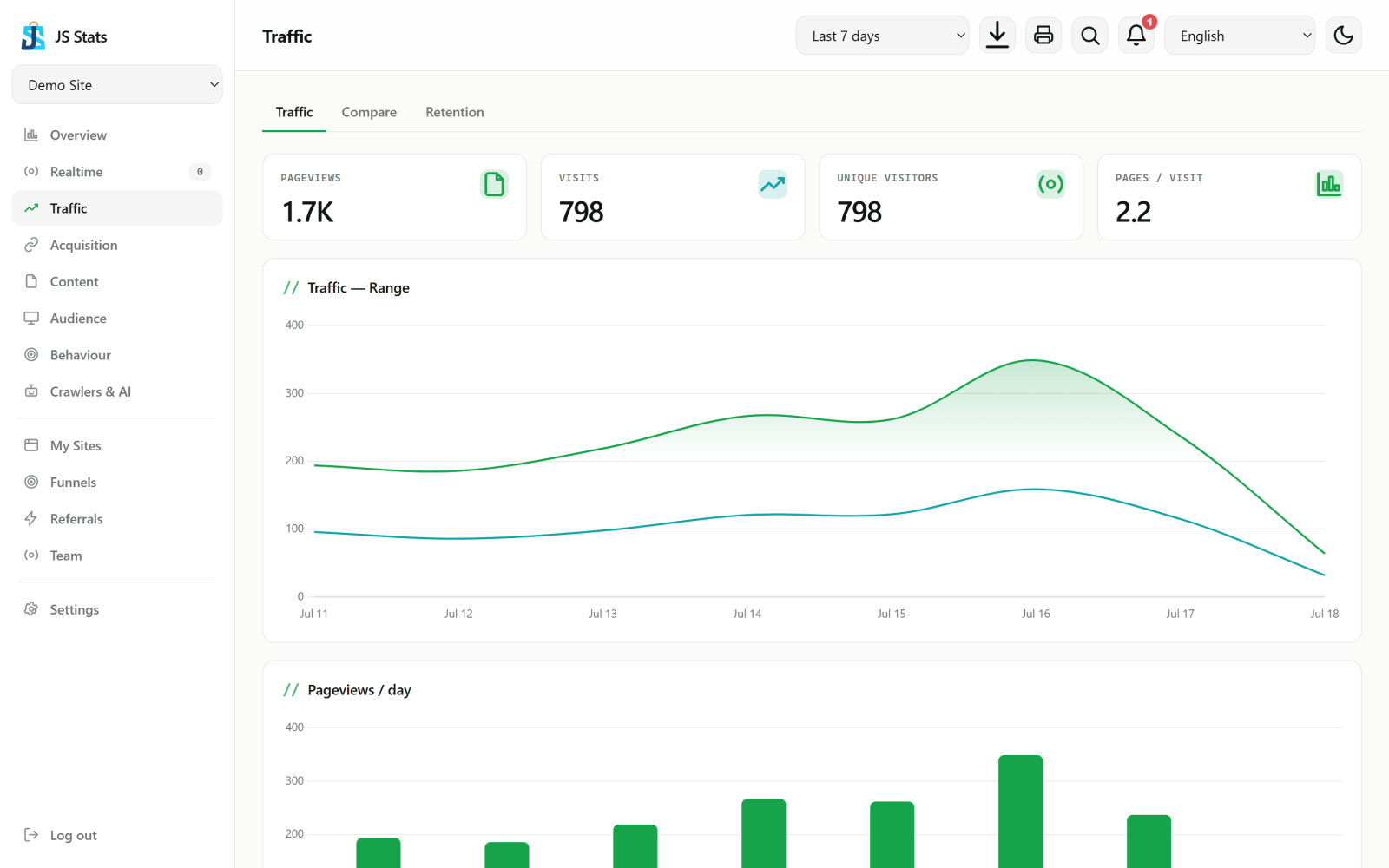
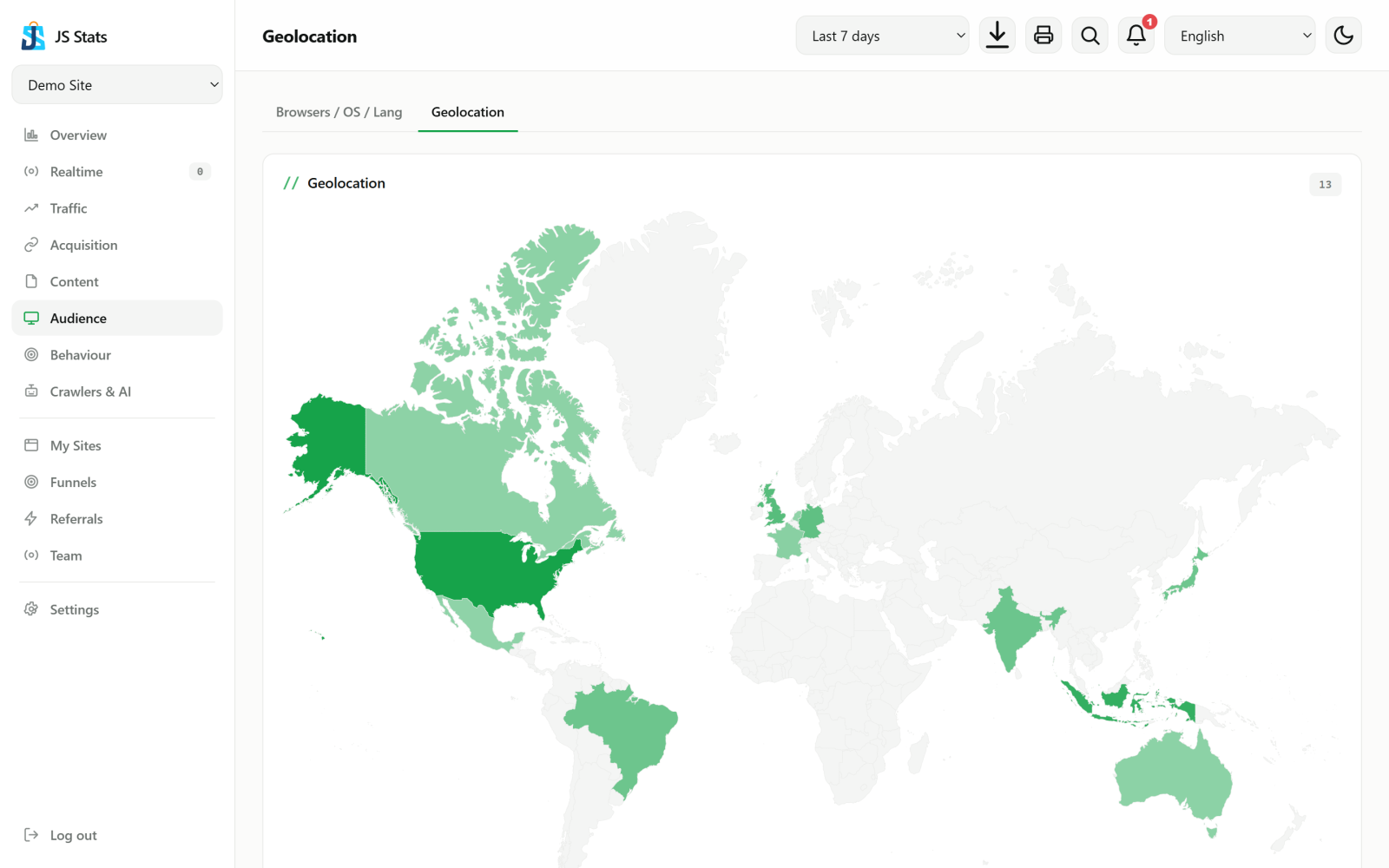
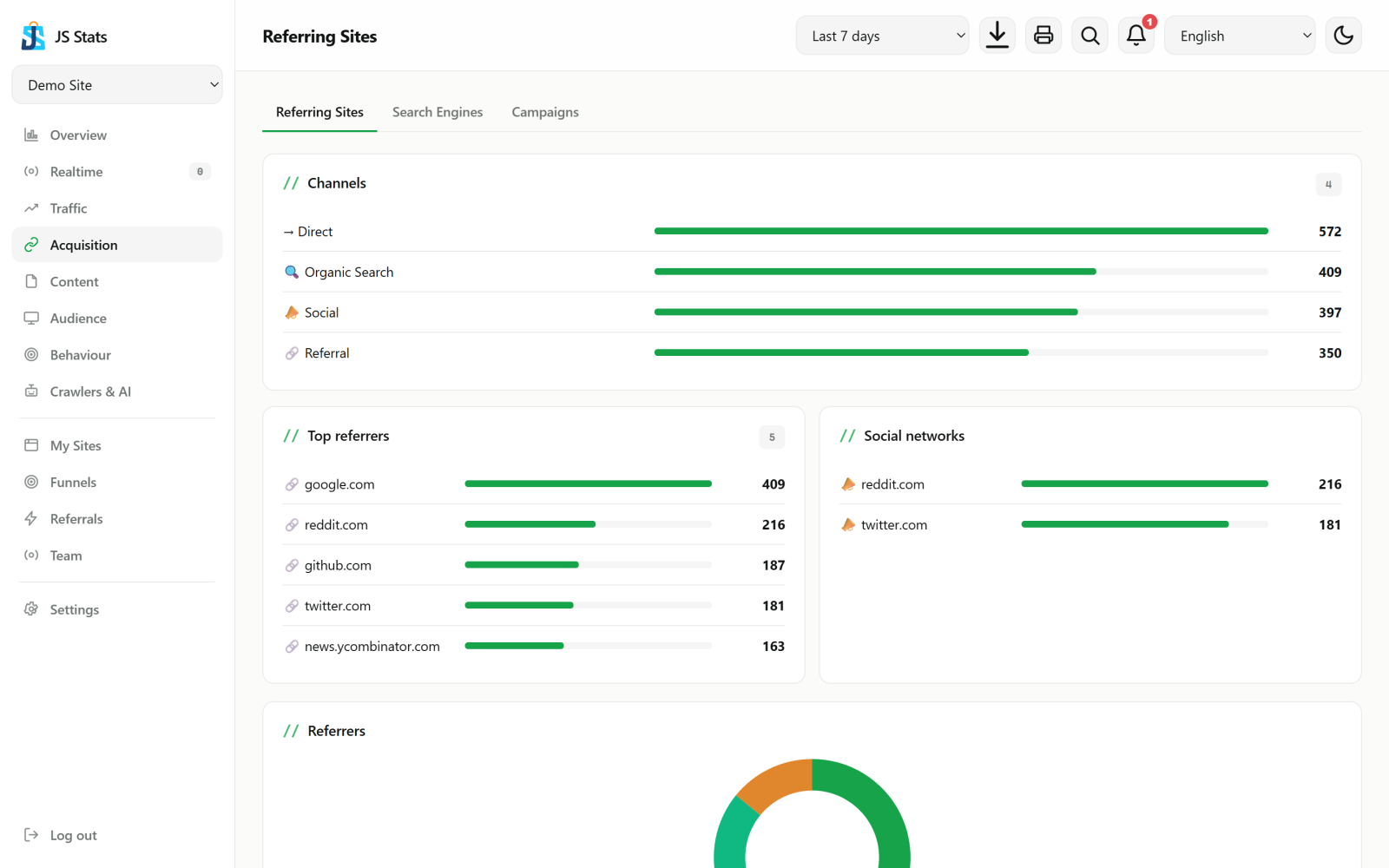
Every metric that matters. None of the clutter.
As complete as Histats — redrawn to read fast.
Real-time overview
Online visitors, daily trends and your key numbers on one screen.
Users online (LIVE)
Who is browsing right now, which page, from which country — every second.
Sources & campaigns
Referrers, search engines, social and UTM campaigns.
Goals & conversions
Mark signup, checkout or any page as a goal and measure it.
Geo & devices
Country and language, plus a browser / OS / device breakdown.
Export & reports
CSV/PDF per view + automatic weekly email reports.
Privacy by default
Hashed IPs, DNT respected, anti-spam & rate-limiting built in.
REST API & teams
API keys, read-only team access and public share links.
How JS Stats compares
A quick, honest look at the differences.
| JS Stats | Google Analytics | Histats | |
|---|---|---|---|
| Self-hosted option | Yes | No | No |
| Cookieless (no consent banner) | Yes | No | No |
| Data stays on your server | Yes | No | No |
| Tracker script size | ~2 KB | ~45 KB | Larger |
| Interface languages | 49 | Browser-only | Fewer |
| AI-crawler detection | Yes | No | No |
| CSV/PDF export + API | Yes | Limited | Limited |
Questions, answered
Everything people usually ask before switching.
Is JS Stats free?
Yes — the self-hosted edition is free forever with every feature unlocked. An optional hosted plan is available if you would rather not run your own server.
Do I need a cookie consent banner?
No. Cookieless mode identifies visitors with a daily server-side hash instead of a tracking cookie, so no personal data is stored and no consent banner is required.
How is this different from Google Analytics?
It is self-hosted, keeps your data on your own server, uses a lightweight ~2 KB script instead of a ~45 KB library, and never shares your traffic data with a third party.
Can I self-host it?
Yes. It runs on plain PHP 8 and MySQL — upload the files to any cPanel host, import one .sql file, and you are done. No build step, no Node.js required.
Does it support multiple languages?
Yes — the dashboard and marketing site are fully translated into 49 languages, including right-to-left languages like Arabic, Persian and Urdu.
Does it filter out bots and AI crawlers?
Yes. Known bots and AI crawlers (GPTBot, ClaudeBot, PerplexityBot and others) are detected and logged separately, so they never inflate your visitor stats.
Can I export my data?
Yes — every report can be exported as CSV or printed to PDF, you can schedule weekly email reports, and a REST API is available for programmatic access.
Can I share my stats publicly?
Yes — toggle a public, read-only dashboard for any site, or generate a branded, shareable stat card as a PNG for social media.
Shipping every week.
The latest from the changelog.
- True full-app i18n: settings, sites, admin, integrations, team, funnels, referral, 2FA, error pages, auth flows and transactional emails — not just the dashboard and landing
- Per-user language for scheduled emails (alerts, reminders, weekly reports) instead of always English
- Second i18n audit pass: translated the sidebar/nav, crawler & AI view, cohorts, compare, share card and a few other spots that were still hardcoded English; fixed a couple of real bugs found along the way (traffic view always showing "hour"/"day" in English, a wrong install error message)
- 651 keys × 49 languages, all verified at 100% parity
- Landing page: new "see it live" section with real product screenshots + mobile nav fix
- Landing page: "How it works", comparison table and FAQ (with schema.org markup) for search and AI answer engines
- Changelog page: added meta description, canonical and schema.org ItemList markup — it was public and in the sitemap but had none of that before
- Real-time view: hits from a subdomain other than the site's main domain now show as host+path instead of a bare path, so they don't look identical to hits on the main domain
- New design.md documenting the design system (tokens, components, share-card theme palettes, responsive/motion/a11y conventions)
- Fixed cards being cut off on mobile: long page URLs or referrer names forced the dashboard grid wider than the screen, which clipped the bars and hid the numbers column entirely
- Fixed the topbar running off-screen on small laptops and tablets in landscape (821-960px wide)
- CSS and JS are now versioned, so fixes reach you immediately instead of waiting on a cached stylesheet
- Added /llms.txt so AI assistants can describe JS Stats accurately
- New: filter any report by subdomain, when one tracking snippet is installed across several hosts
- Clearer date-range picker: it now shows which dates you are actually looking at, and "Range" is now "Custom range"
- Security: two-factor codes are now rate-limited, and the installer no longer responds to anonymous visitors once set up
- Security: outbound URLs you configure (webhooks, uptime monitors, Slack) can no longer be pointed at internal addresses
- Data retention is now actually enforced per plan, instead of keeping everything forever
- New /docs: a full install and self-hosting guide for cPanel shared hosting
- Published a privacy policy and terms of service, and every release below now carries a date
- Free by default — every feature unlocked, billing behind a single switch
- Shareable stat cards: 13 themes, QR code, top-3 countries, Post + Story
- 50 languages, fully-translated landing, country flags that render on Windows
- SEO (sitemap · robots · canonical · hreflang) + responsive mobile topbar
- AI insights (automatic observations) on the Summary
- Referral program — share a link, earn a coupon
- Outbound webhooks (HMAC-signed) for events & alerts
- Public changelog
Ready to see your real numbers?
Free-forever plan. No credit card. Set up in under a minute.
Start free →